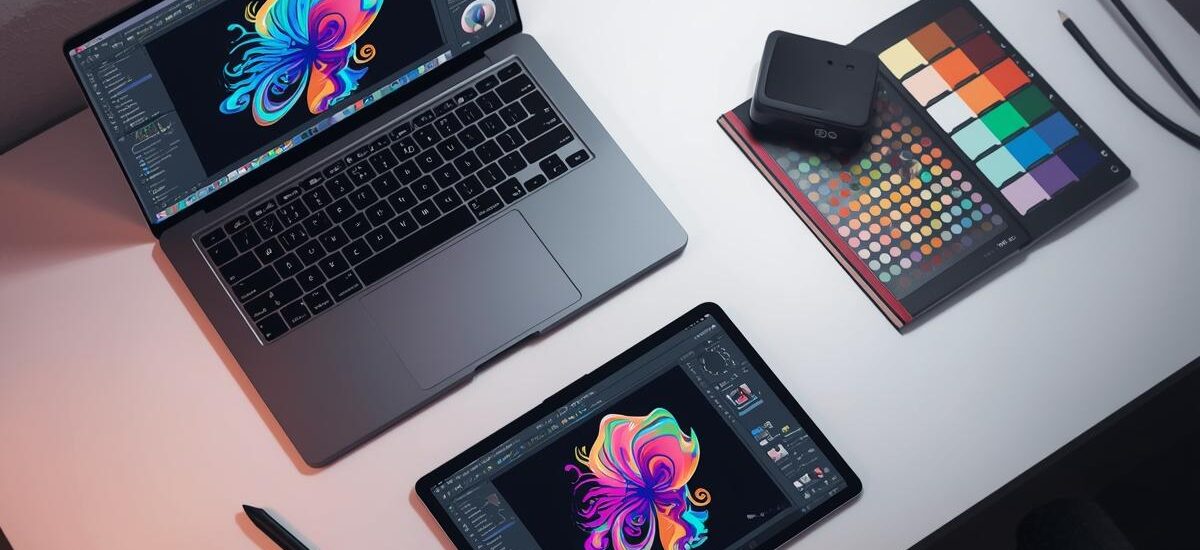
If you are a freelancer, graphic design tools are not just software for you. They are your daily working partners. In 2025, clients expect fast work, clean designs, and professional results. If you are still using old or limited tools, you will feel behind very quickly.
I have worked with many freelancers and designers. One thing is very clear. The right tools save your time, improve your quality, and help you earn more money. In this blog, I will share the best graphic design tools for freelancers in 2025. These tools are popular, easy to use, and trusted by designers all over the world.
This guide is perfect for beginners and experienced freelancers who want to upgrade their workflow.
Adobe Photoshop – Still the King of Design
Adobe Photoshop is still one of the most powerful graphic design tools in 2025. Freelancers use it for photo editing, social media posts, banners, thumbnails, and much more. Almost every client knows Photoshop, so using it builds instant trust.
Photoshop is best when you want full control over your design. You can edit images, create custom graphics, and work with advanced effects. In 2025, Adobe has improved AI features, which help freelancers work faster.
Key reasons freelancers use Photoshop:
-
Advanced photo editing tools
-
AI-based background removal
-
Support for almost all file formats
-
Strong client demand
If you are serious about freelancing, Photoshop is still worth learning.
Adobe Illustrator – Perfect for Logos and Branding
Adobe Illustrator is the best tool for vector design. Freelancers use it to design logos, icons, business cards, and branding materials. Vector designs do not lose quality, so clients prefer Illustrator files.
In 2025, Illustrator is more user-friendly and faster. It is ideal for freelancers who work with startups and brands. If your client asks for logo source files, Illustrator is usually required.
Why freelancers love Illustrator:
-
Clean and scalable vector designs
-
Industry-standard for logo design
-
Great for print and digital work
-
Works smoothly with other Adobe tools
If logo design is your main service, this tool is a must.
Canva – Best Tool for Quick and Easy Designs
Canva has become extremely popular, especially among freelancers who want fast results. In 2025, Canva is more powerful than ever. You can create social media posts, presentations, flyers, and even short videos.
Canva is perfect if you are not a professional designer but still want to offer design services. Many freelancers use Canva for social media clients because it saves a lot of time.
Benefits of using Canva:
-
Very easy to use
-
Thousands of ready-made templates
-
No advanced skills required
-
Great for social media design
For freelancers working with small businesses, Canva is a smart choice.
Figma – Best for UI and UX Designers
Figma is one of the best graphic design tools for freelancers in 2025, especially for UI and UX design. Web designers and app designers love Figma because it allows real-time collaboration.
If you work with developers or teams, Figma makes your life easy. Clients can see your design live and give feedback instantly.
Why Figma is popular:
-
Cloud-based design tool
-
Real-time collaboration
-
Perfect for web and app design
-
No heavy system requirements
Freelancers offering UI and UX services should definitely learn Figma.
Affinity Designer – Affordable Alternative to Adobe
Not every freelancer wants to pay monthly fees. Affinity Designer is a great one-time purchase tool. It offers many features similar to Illustrator and Photoshop.
In 2025, Affinity Designer is stable, fast, and trusted by freelancers who want professional results without high costs.
Reasons to choose Affinity Designer:
-
One-time payment
-
Fast performance
-
Vector and raster design support
-
No subscription stress
This tool is ideal for budget-conscious freelancers.
Procreate – Best Tool for Digital Artists
If you use an iPad, Procreate is one of the best graphic design tools in 2025. Many freelancers use it for illustration, sketching, and custom artwork.
Procreate feels natural and smooth. Artists who sell illustrations, NFT art, or custom designs love this tool.
What makes Procreate special:
-
Easy drawing experience
-
Powerful brushes
-
Fast performance
-
Affordable price
For creative freelancers, Procreate is a strong choice.
CorelDRAW – Still Used in Print Design
CorelDRAW is still relevant in 2025, especially for print-related work. Many print shops and local businesses still ask for CorelDRAW files.
If you work with banners, brochures, or visiting cards, this tool can help you get more clients.
CorelDRAW benefits:
-
Strong print design tools
-
Popular in signage and printing
-
Easy layout control
It is not for everyone, but useful for specific freelance markets.
Why Choosing the Right Tool Matters
As a freelancer, your time is money. The right graphic design tools help you finish projects faster and reduce mistakes. Clients also feel more confident when you use professional software.
You do not need to learn all tools at once. Start with one or two tools that match your services. Slowly upgrade your skills and tools as your freelancing career grows.
Final Thoughts
In 2025, competition in freelancing is high. To stay ahead, you must use the best graphic design tools. Adobe tools are still powerful, Canva is perfect for quick jobs, Figma is great for UI design, and Affinity Designer is best for low budgets.
Choose tools based on your work style and client needs. With the right tools and skills, freelancing can be very successful.